
TL;DR summary
GitOps uses Git to manage application and infrastructure configurations through version control and automation. It helps development teams track changes, review updates, automate deployments, detect configuration differences, and roll back to earlier versions when needed. By maintaining a desired system state and reducing manual work, GitOps makes infrastructure management more controlled, consistent, and transparent.
What Is GitOps?
Before understanding GitOps, let's understand Git. Git is a tool that helps developers track changes in their code, save different versions, and return to an earlier version when needed.GitOps applies this idea to application and infrastructure management. In simple words, GitOps means using Git to manage application and infrastructure configurations and automate how changes are applied.Instead of manually changing a production server, teams store the desired configuration in Git. Changes can be reviewed, approved, and applied through automation.
The Main Idea Behind GitOps
The main idea behind this topic is simple: Make infrastructure changes in a controlled, trackable way instead of making risky manual changes directly in production.Imagine a developer needs to change an application's configuration.
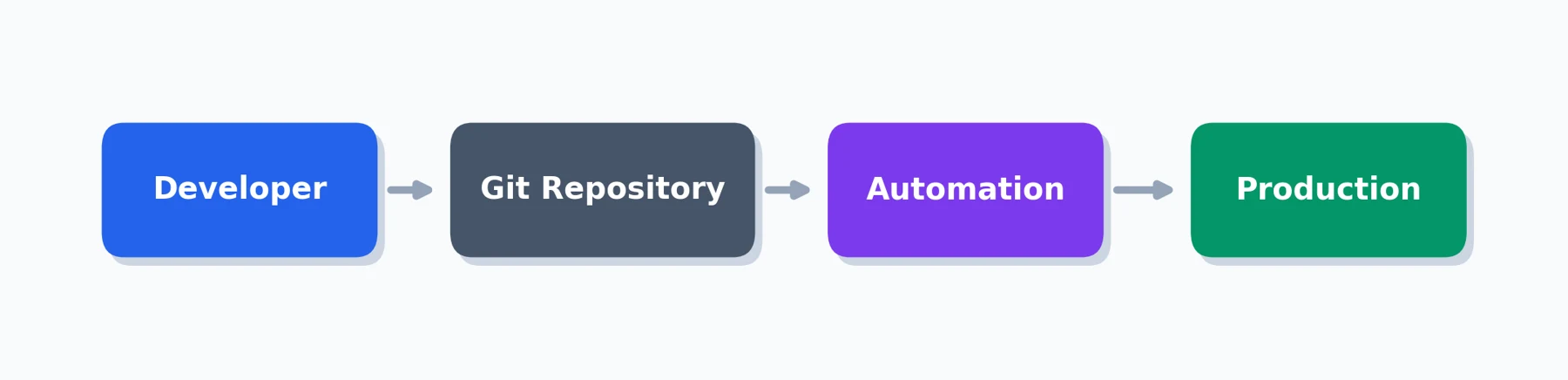
Traditional approach: Developer → Server → Manual Change → Possible Problem
GitOps approach: Developer → Git → Review → Approval → Automated Deployment
This process makes changes easier to track and manage. GitOps does not guarantee that deployments will never fail. Instead, it helps teams reduce unnecessary risks and recover more easily when something goes wrong.
Related Concepts in GitOps
GitOps connects several important areas of modern software development:
• Version control: Tracking changes over time.
• Automated deployment: Applying approved changes automatically.
• Change tracking: Understanding who changed what and when.
• Rollback: Returning to an earlier working version.
• Configuration drift: Identifying differences between expected and actual settings.
• Security: Controlling access to production environments.
• Infrastructure as Code: Managing infrastructure settings through files and code.
The GitOps Workflow
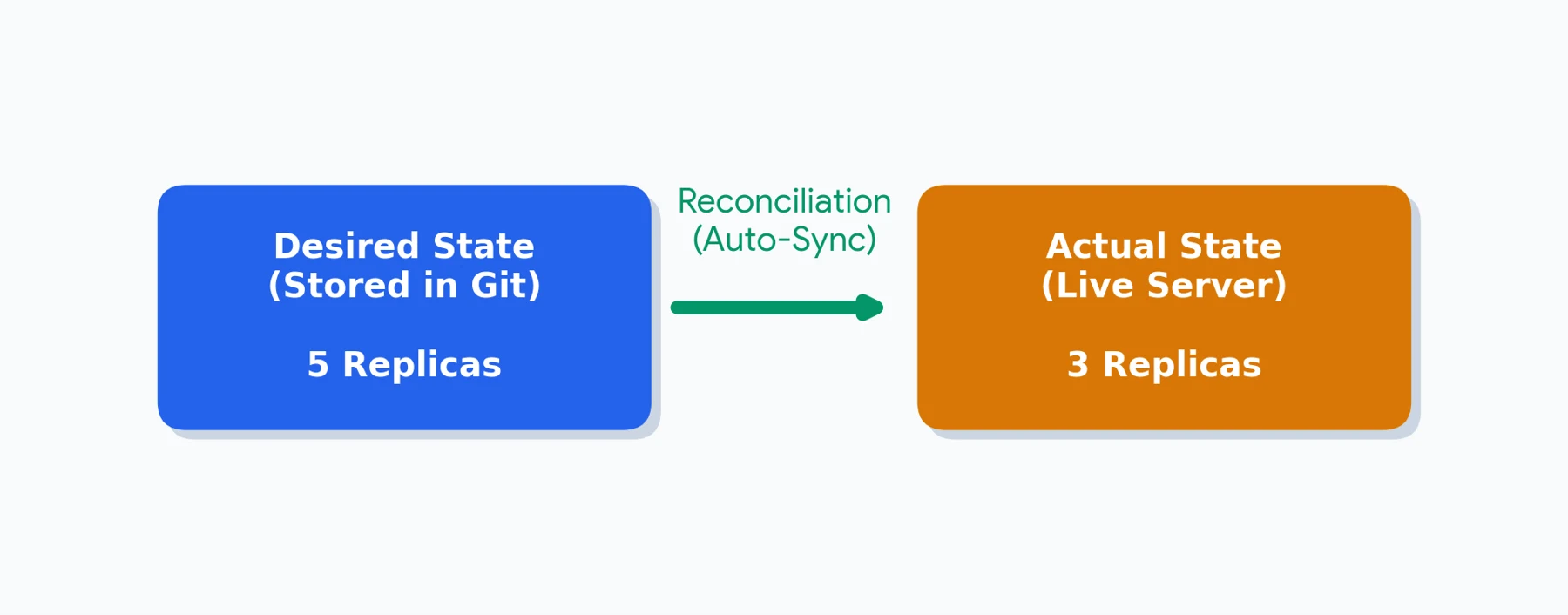
Step 1 (Define the change): A developer decides what the application or infrastructure should look like. For example: Current replicas: 3 -> New replicas: 5.
Step 2 (Store the change in Git): The developer updates the configuration in a Git repository. Git records the change and maintains its history.
Step 3 (Review the change): The developer creates a Pull Request, which allows team members to review the proposed change before it is approved.
Step 4 (Approve and merge): After the required checks and reviews, the change is merged into the appropriate branch.
Step 5 (Apply the change automatically): A GitOps tool detects the updated configuration and works to apply it to the target environment.
Step 6 (Check the environment): The system checks whether the actual environment matches the desired configuration. If there is a difference, the GitOps controller can work to reconcile it.

How Does GitOps Make Changes Safer?
1. Changes Are Easy to Track - Git keeps a history of changes. Teams can review who made a change, what was changed, and when it happened. This makes troubleshooting and auditing easier.
2. Changes Can Be Reviewed - Instead of directly modifying production, developers can request a review through a Pull Request. This creates an additional opportunity to identify mistakes before deployment.
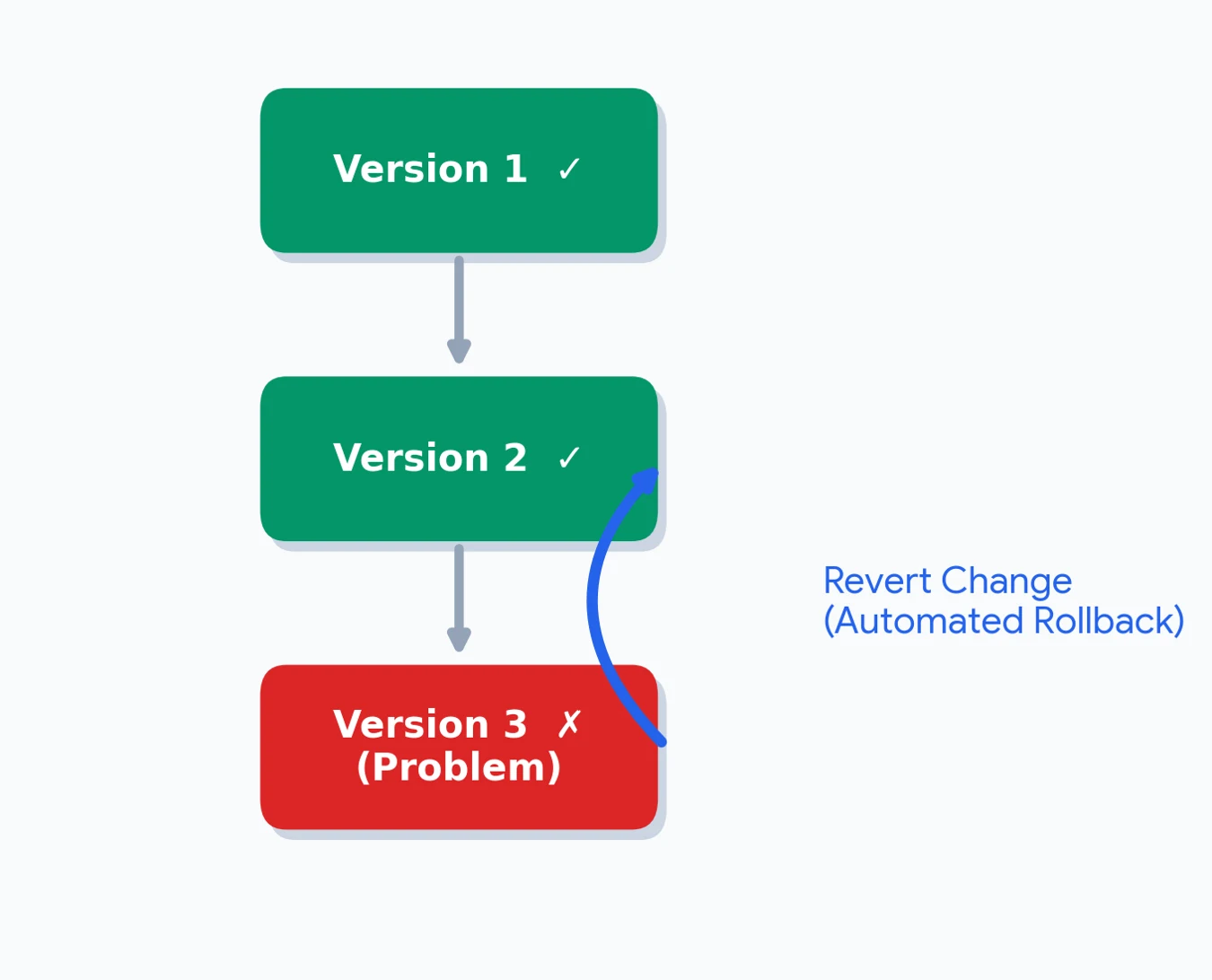
3. Rollbacks Become Easier - What happens if a new deployment causes a problem? The team can revert the relevant Git change and use the previous configuration.
4. Configuration Drift Can Be Detected - Configuration drift happens when the actual environment becomes different from the configuration the team expects. A GitOps controller can detect the difference and work toward bringing the environment back to the desired state. This process is called reconciliation.
5. Automation Reduces Repetitive Work - Without automation, developers may need to repeat deployment commands manually. With GitOps, the process can follow a consistent workflow. This reduces repetitive tasks and helps teams follow the same deployment process.
6. GitOps Can Support Better Security - GitOps workflows can use access permissions, review rules, and approval requirements to control infrastructure changes. In pull-based models, a controller inside the target environment can retrieve configuration from Git. This can reduce the need for external deployment systems to have direct access to production. However, GitOps does not automatically make an application secure. Proper access control, secrets management, and security checks are still necessary.
Simple Technical Terms You Should Know
• Git - A tool for tracking changes
• Repository - A place where project files and their history are stored
• Deployment - Making an application or change available in an environment
• Infrastructure - The servers, networks, databases, and systems an application uses
• Configuration - Settings that control how a system works
• Pull Request - A request for the team to review a change
• Rollback - Returning to an earlier working version
• Automation - Software performing tasks automatically
• Desired state - How we want the system to look
• Actual state - How the system currently looks
• Configuration drift - A difference between expected and actual settings
• Reconciliation - Bringing the actual system toward the desired state
• GitOps tool - Software that helps manage Git-based deployments
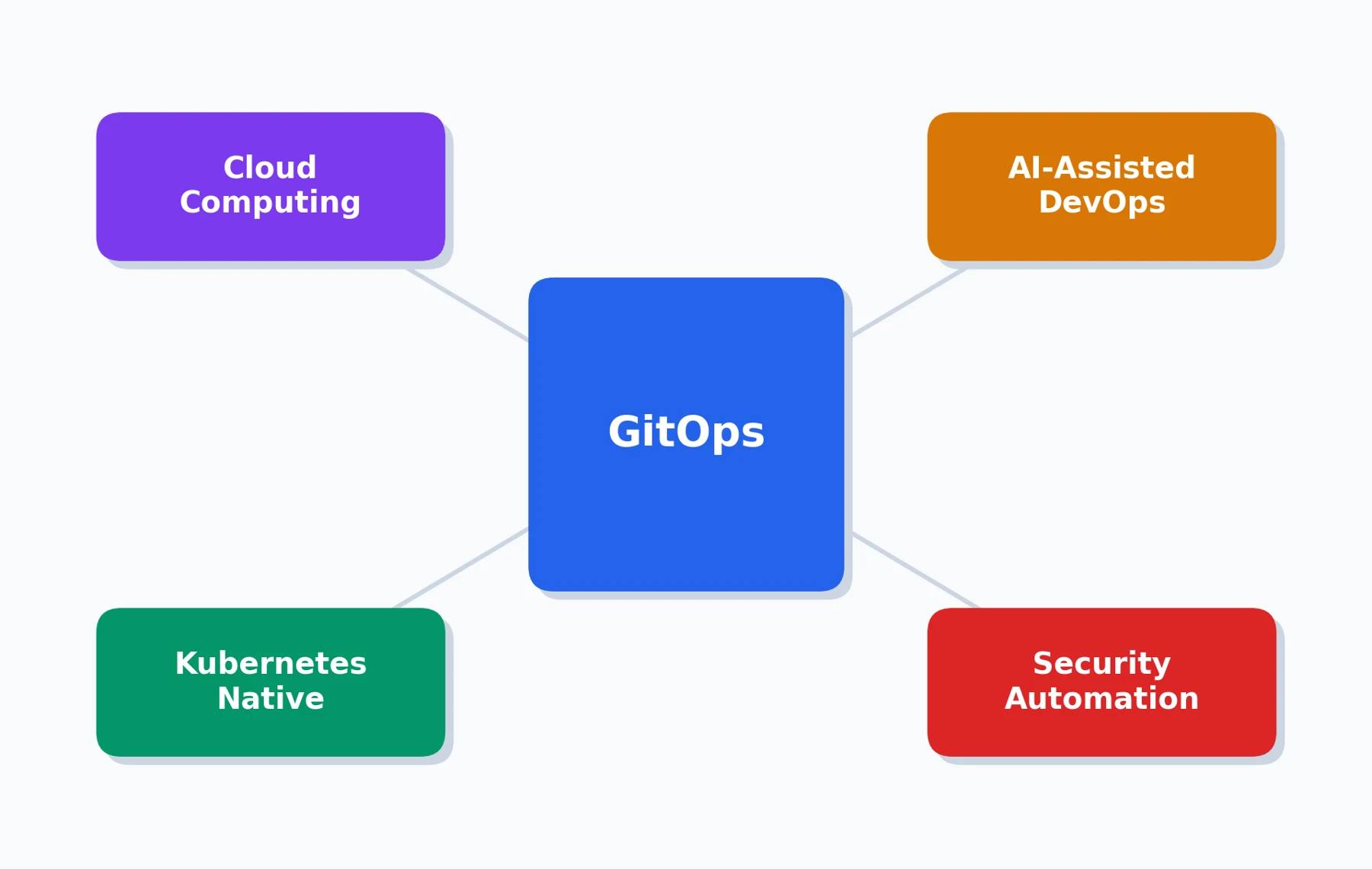
The Future of GitOps
GitOps continues to develop alongside modern cloud and software practices.
• Cloud computing: As organizations manage more cloud resources, version-controlled configuration and automation can help them maintain consistency.
• AI-assisted DevOps: AI tools can help analyze logs, identify unusual activity, and assist with troubleshooting.
• Kubernetes and cloud-native: As organizations manage more container-based applications, GitOps workflows help keep deployments organized and consistent.
• Security automation: GitOps can work with automated security checks to identify unsafe configurations.
• Better monitoring: Combining Git history with monitoring and alerts helps teams understand problems faster.
Quick Quiz: Test Your Knowledge
Q1. What is the main purpose of GitOps?
A. Designing website layouts
B. Managing infrastructure and application configurations using Git
C. Managing computer hardware
D. Creating programming languages
Q2. What is a Pull Request used for in a GitOps workflow?
A. Reviewing proposed changes before merging
B. Deleting a repository
C. Creating user accounts
D. Monitoring server temperature
Q3. GitOps can help teams detect configuration drift between the desired and actual system states.
A.True
B. False
Q4. GitOps guarantees that every deployment will succeed without errors.
A. True
B. False
Answers: Q1 — B | Q2 — A | Q3 — A | Q4 — B
Conclusion
Infrastructure changes do not have to feel like a risky step into the unknown. GitOps brings a familiar idea—Git version control—into infrastructure management. By storing configuration in Git, reviewing changes before deployment, and using automation to maintain the desired state, teams can make infrastructure changes more controlled and transparent.The goal is not simply to deploy faster. It is to understand what changed, why it changed, and how to recover when something goes wrong.
Frequently asked questions
How does GitOps work?
GitOps works by storing configuration files in a Git repository. When changes are approved and merged, a GitOps tool detects them and automatically applies the updates to the target environment.
What are the main benefits of GitOps?
GitOps improves change tracking, supports automated deployments, simplifies rollbacks, helps detect configuration drift, and reduces repetitive manual work.
What is configuration drift in GitOps?
Configuration drift occurs when the actual system settings become different from the desired configuration stored in Git.
Which tools are commonly used for GitOps?
Popular GitOps tools include Argo CD and Flux. They help automate deployments and maintain the desired state of applications and infrastructure.

Arun G
Full-Stack DeveloperA passionate technology enthusiast with an interest in web development, innovation, and emerging technologies. Enjoys creating user-friendly digital experiences, exploring new tools, and turning creative ideas into practical solutions.
Join the conversation
Be the first to share your thoughts.